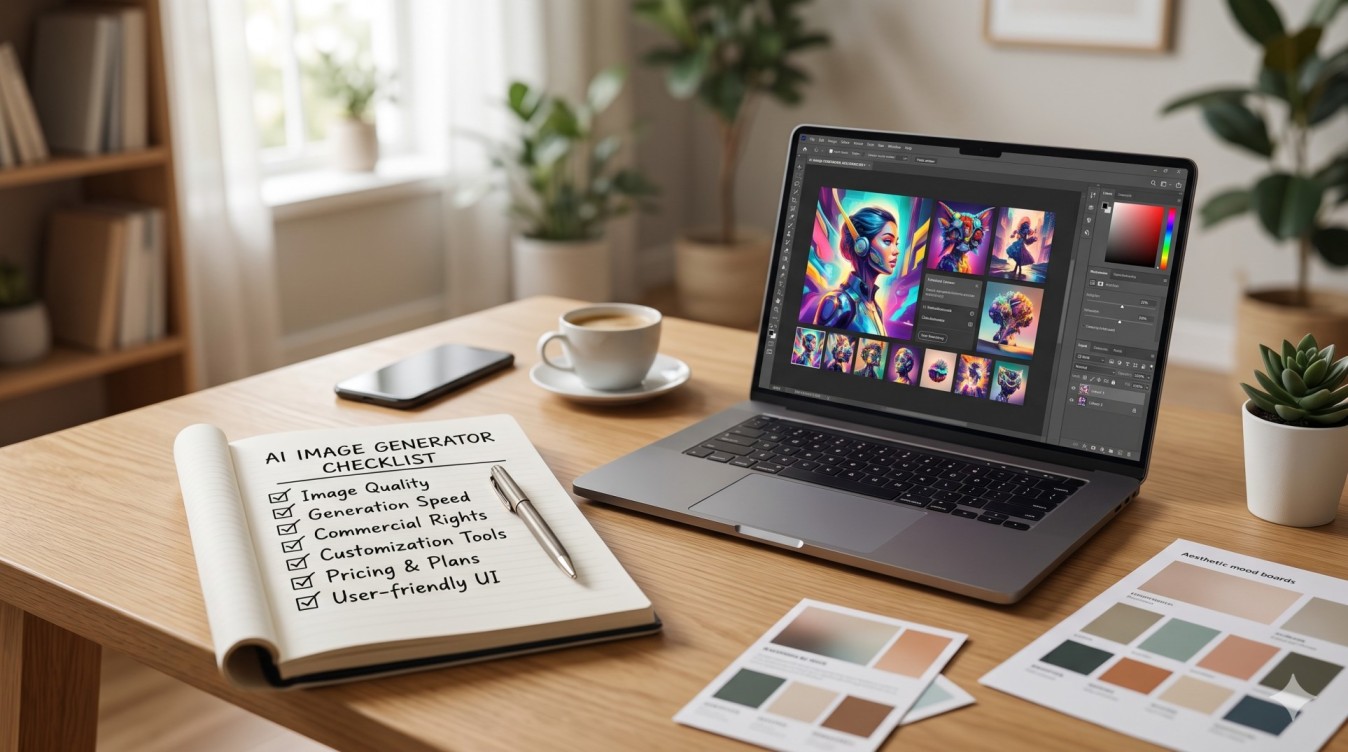

Choosing an AI image generator is less about chasing the newest demo and more about matching tools to how you work. Marketing pages look similar: sharp samples, long feature lists, and “studio quality” claims. What matters is whether the tool stays consistent across a campaign, gives you enough control to fix mistakes, handles your data responsibly, and lets you use outputs commercially without surprises.
Use this checklist when you trial a product, then score candidates with the short rubric at the end.
Table of Contents
Output quality and consistency
Quality is not one screenshot. It is how often the tool produces something usable on the first or second try and whether that holds when you regenerate the same brief.
What to test
- Subject fidelity: Keeps a face, product, or logo recognizable across generations.
- Composition control: Honors “centered product on white” versus busy lifestyle scenes without constant retries.
- Text in images: Signs, packaging labels, and UI mockups stay readable, not garbled.
- Style stability: Pick one style (editorial photo, flat illustration, 3D product). Generate 8–12 images; count how many are shippable.
- Failure modes: Melted hands, warped products, extra limbs, or lighting that fights brand guidelines.
Consistency checklist
- Same prompt + same settings feel close, not random.
- Seed or “variation from this image” nudges style without rewriting the concept.
- Upscale and refine improve detail without inventing new objects.
If you need brand characters, catalogs, or multi-frame stories, prefer tools with seeds, reference images, and style locks over one-shot “surprise me” generators.
Creative controls (prompts, seeds, edit/inpaint, aspect ratios)
A strong model with weak controls forces endless re-prompting. Good controls cut waste and make collaboration possible.
Prompts and parameters
- Documented syntax (weights, negatives, style tags) and clear length limits.
- Negative prompts or “avoid” fields for common defects.
- Guidance / creativity sliders that change outcomes predictably.
- Presets you can save and share.
Seeds and reproducibility
- Visible seeds you can copy and reuse.
- Lock a seed while changing one variable (lighting, angle, background).
- Export of generation settings with the file or in history.
Edit, inpaint, and iterate
- Inpaint / mask edit to fix a logo, hand, or background without full regeneration.
- Outpaint / expand for social crops and banners.
- Image-to-image strength so you restyle without losing structure.
- Stepwise history to roll back a bad edit.
Aspect ratios and delivery sizes
- Native ratios: 1:1, 4:5, 9:16, 16:9, 3:2, plus print-friendly options.
- Predictable pixel sizes, or an upscaler that does not soften logos.
- Batch export with tidy naming and metadata.
If a tool only outputs squares and forces external crops every time, fold that friction into total cost.
Privacy and data handling
Prompts often include unreleased products, client faces, and campaign concepts. Treat privacy as a product feature, not a footer link.
Questions before you upload anything sensitive
- Training on your inputs: Are prompts or images used to train models by default? Is there an opt-out or business plan that excludes training?
- Retention: How long are prompts, uploads, and outputs stored? Can you delete them permanently?
- Access controls: Who on the vendor side can view content? Is access logged?
- Region and processors: Where is data hosted? Are subprocessors listed?
- Enterprise options: SSO, private workspaces, or stronger isolation if compliance requires it.
Practical privacy habits
- Disable public galleries and share-by-default when possible.
- Separate personal experiments from client workspaces.
- Avoid pasting confidential brand guidelines into free tiers with broad rights over inputs.
Vague policies or missing retention details are yellow flags escalate to legal before a team rollout.
Licensing and commercial use
A usable image is worthless if you cannot put it in an ad, packaging mock, or client deliverable.
Licensing checklist
- Explicit commercial-use terms on paid plans (and clear free-plan limits).
- Scope: ads, merchandise, film, and client work covered?
- Restrictions on public figures, trademarks, or copyrighted characters even if the model can render them.
- Attribution requirements, if any.
- Indemnity or warranty language on business plans (often limited; read carefully).
- Rules for reusing outputs as training data in your own systems.
Process tips
- Save plan receipts and dated terms when you generate assets.
- Tag assets with tool, plan tier, and date in your DAM or drive.
- When terms change, re-check coverage for older outputs.
Never assume “I generated it, so I own it.” Ownership and license grants vary by product and plan.
Pricing and limits
List price is only part of the story. Caps, resolution tiers, and seat rules decide whether the tool scales with your calendar.
What to map before buying
- Credits vs. unlimited: What counts as one generation (base, upscale, inpaint)?
- Soft vs. hard caps: throttle, queue, or overage?
- Concurrent jobs and peak-hour queues.
- Seat pricing: shared workspaces vs. per-user fees.
- Free tier: enough for a real pilot, or teaser-only?
- Annual discounts vs. month-to-month flexibility.
Run a one-week pilot at realistic volume. Compare cost per accepted image, not cost per generation.
Team workflow fit
Solo creators and agencies need different features. A tool that delights one designer can frustrate a five-person content team.
Workflow checklist
- Shared libraries, folders, or brand kits.
- Commenting, approvals, or shareable history links.
- Role permissions (view, generate, admin).
- Integrations: Slack, Notion, Figma, DAM, or a simple API.
- Shared prompts and presets so juniors do not reinvent style rules.
- Audit-friendly history for client revisions.
If your process lives in a design system or brief template, prefer tools that accept reference boards and structured presets over chat-only interfaces with no brand memory.
Red flags
Slow down or walk away when you see:
- Commercial rights that contradict marketing claims.
- No clear statement on training with customer data.
- Gallery demos that collapse on your own product photos.
- Hidden credit burn on upscales, face fixes, or “HD mode.”
- Silent model swaps that break prompt libraries.
- Support that only points to a forum for billing or license questions.
- Pressure to publish generations publicly to unlock features.
One red flag may be negotiable. Several usually predict rework, legal delays, or a painful migration.
How to score tools in 15 minutes
Score each criterion 1–5 (1 = poor, 5 = excellent). Multiply by weight if one area matters more.
| Criterion | Weight (example) | What “5” looks like |
| — | — | — |
| Output quality & consistency | 5 | Mostly usable on brand tasks; seeds hold style |
| Creative controls | 4 | Seeds, inpaint, ratios, saved presets |
| Privacy & data handling | 5 | Clear no-train option; deletion; documented retention |
| Licensing & commercial use | 5 | Explicit commercial license on your plan |
| Pricing & limits | 3 | Predictable cost at your real weekly volume |
| Team workflow fit | 3 | Shared presets, roles, clean export |
| Red flags | − | Deduct 2 points per major red flag |
15-minute drill
1. Generate the same product brief 6 times; count usable results.
2. Fix one defect with inpaint; note time and credit cost.
3. Export two aspect ratios; check sharpness and metadata.
4. Skim privacy and commercial terms for training and usage rights.
5. Price last week’s volume on their calculator.
Pick the highest total that also clears your privacy and licensing minimums. Clear rights and controls usually beat a flashy model you cannot put in production.